Separate Workers from App
Benefits of separating workers from the main application (APP):
-
Availability: The application remains lightweight, allowing workers to be scaled independently.
-
Security: Workers lack direct access to Redis and the database, minimizing impact in case of a security breach.
Step 1: Create Worker Token
To create a worker token, use the local CLI command to generate the JWT and sign it with your STAQR_JWT_SECRET used for the app server. Follow these steps:
- Open your terminal and navigate to the root of the repository.
- Run the command:
npm run workers token. - When prompted, enter the JWT secret (this should be the same as the
STAQR_JWT_SECRETused for the app server). - The generated token will be displayed in your terminal, copy it and use it in the next step.

Step 2: Configure Environment Variables
Define the following environment variables in the .env file on the worker machine:
- Set
STAQR_CONTAINER_TYPEtoWORKER - Specify
STAQR_FRONTEND_URL - Provide
STAQR_WORKER_TOKEN
Step 3: Configure Persistent Volume
Configure a persistent volume for the worker to cache flows and integrations. This is important as first uncached execution of integrations and flows are very slow. Having a persistent volume significantly improves execution speed.
Add the following volume mapping to your docker configuration:
volumes:
  - <your path>:/usr/src/app/cache
Note: This setup works whether you attach one volume per worker, It cannot be shared across multiple workers.
Step 4: Launch Worker Machine
Launch the worker machine and supply it with the generated token.
Step 5: Verify Worker Operation
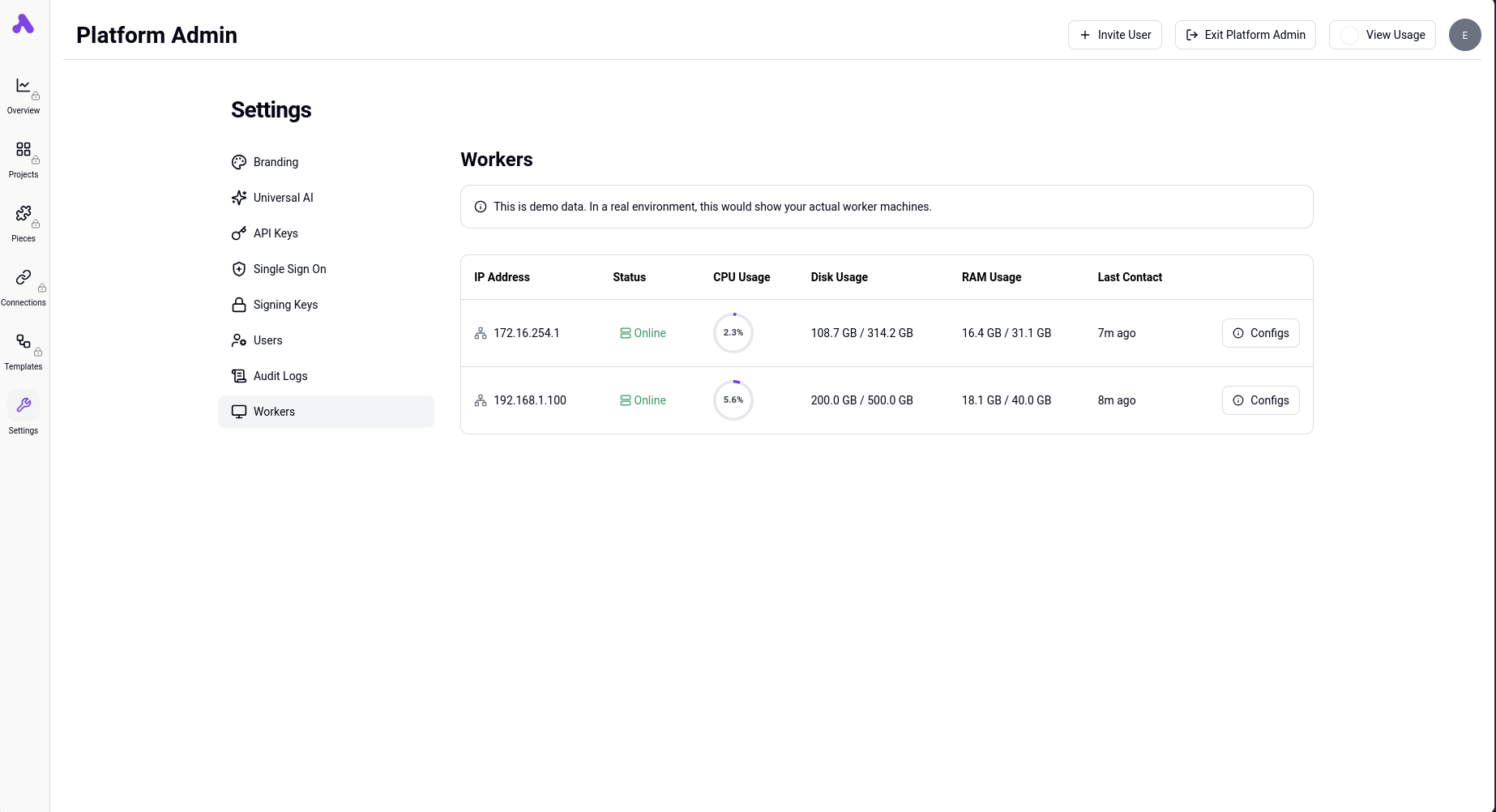
Verify that the workers are visible in the Platform Admin Console under Infra -> Workers.
Step 6: Configure App Container Type
On the APP machine, set STAQR_CONTAINER_TYPE to APP.