Show/Hide Integrations
If you would like to only show specific integrations to your embedding users, we recommend you do the following:
Step 1: Tag Integrations
Tag the integrations you would like to show to your user by going to Platform Admin -> Setup -> Integrations, selecting the integrations you would like to tag and hit Apply Tags
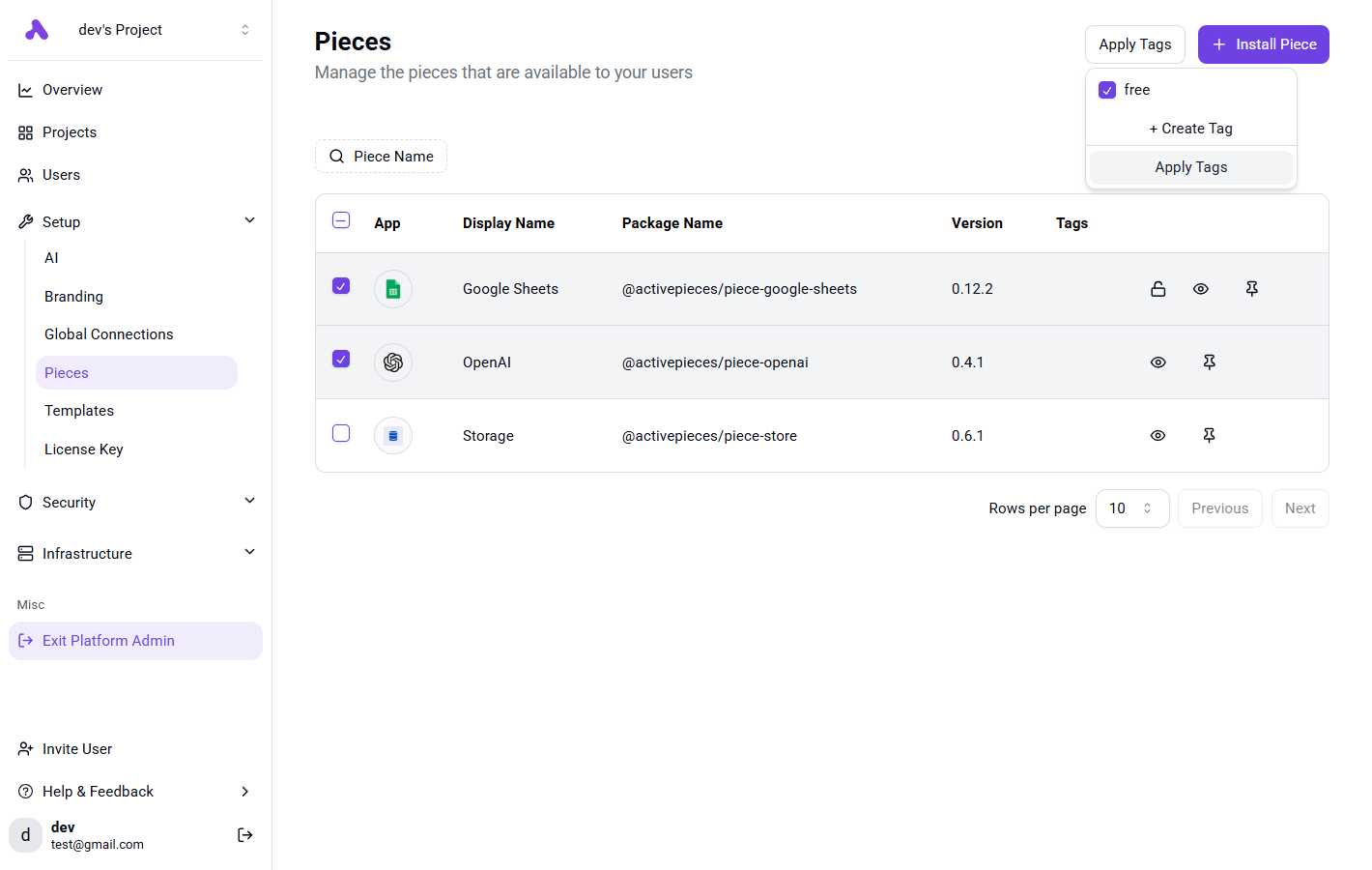
Step 2: Add Tags to Provision Token
You need to specify the tags of integrations in the token, check how to generate token in provisioning users.
You should specify the integrations claim like this:
{
    /// Other claims
    "integrationsFilterType": "ALLOWED",
    "integrationsTags": [ "free" ]
}
Each time the token is used by the embedding SDK, it will sync all integrations with these tags to the token's seller. The seller will only contain the integrations that contain these tags.