Manage AI Providers
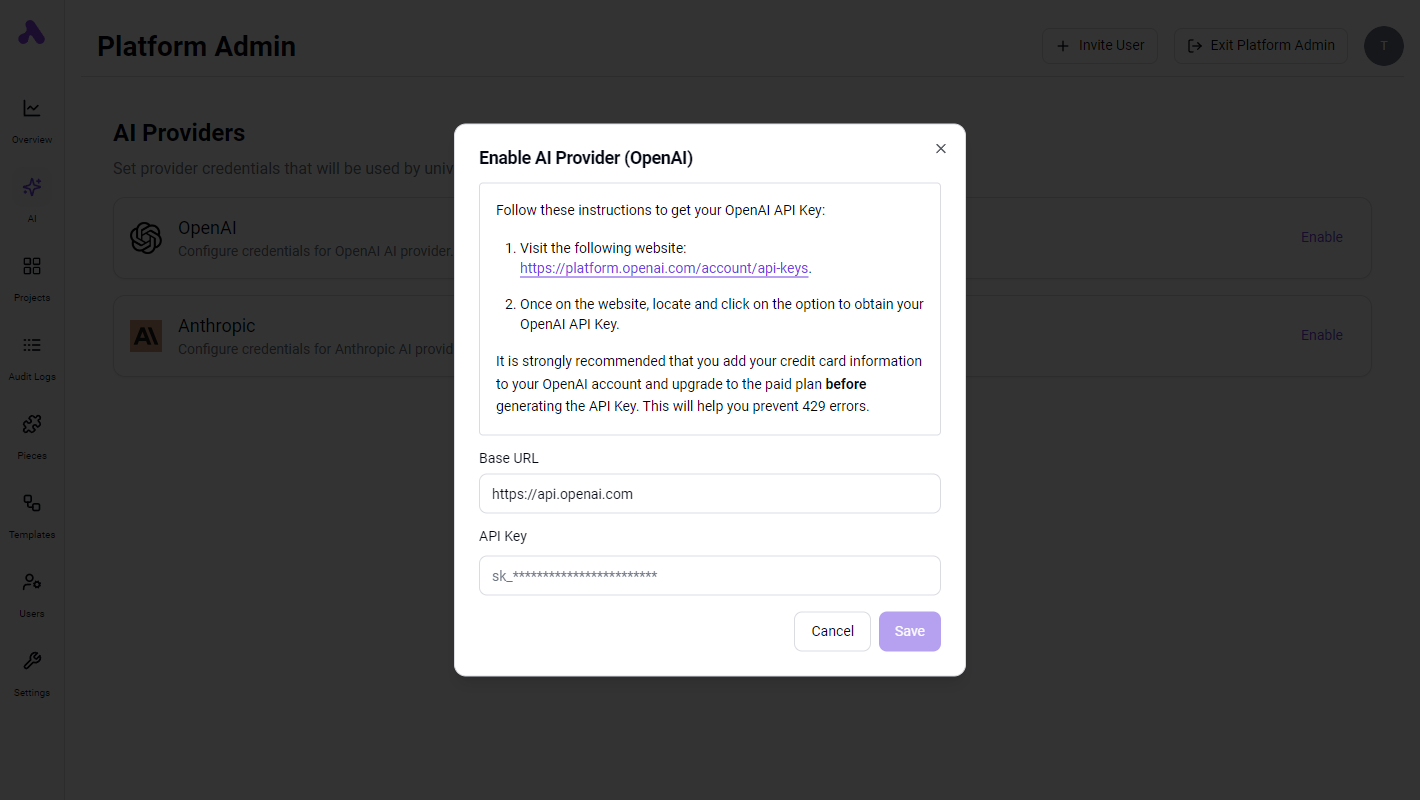
Set your AI providers so your users enjoy a seamless building experience with our universal AI integrations like Text AI.
Manage AI Providers
You can manage the AI providers that you want to use in your flows. To do this, go to the AI page in the Admin Console.
You can define the provider's base URL and the API key.
These settings will be used for all the sellers for every request to the AI provider.
Configure AI Credits Limits Per Seller
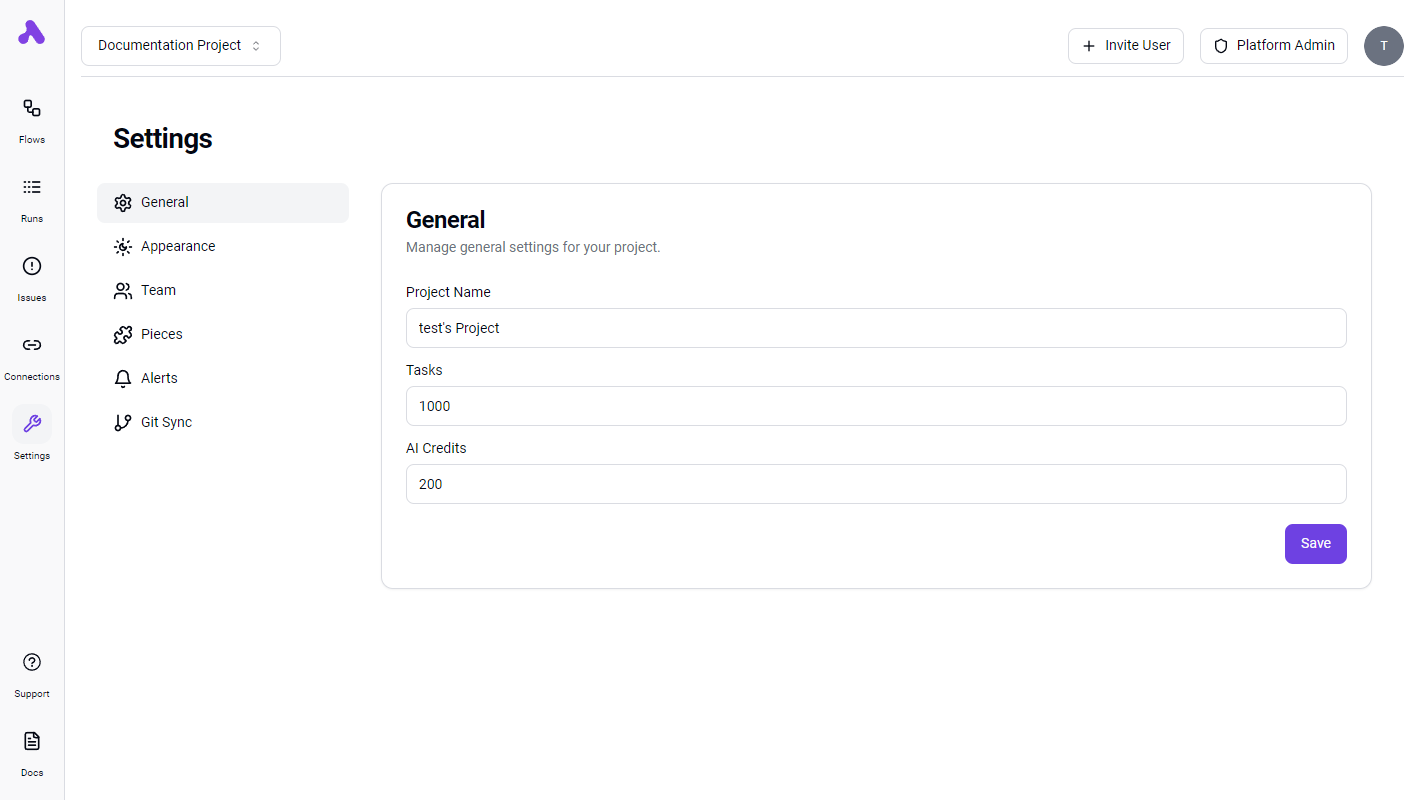
You can configure the token limits per seller. To do this, go to the seller general settings and change the AI Credits field to the desired value.
This limit is per seller and is an accumulation of all the reported usage by the AI integration in the seller. Since only the AI integration goes through the Staqr API, using any other integration like the standalone OpenAI, Anthropic or Perplexity integrations will not count towards or respect this limit.
AI Credits Explained
AI credits are the number tasks that can be run by any of our universal AI integrations.
So if you have a flow run that contains 5 universal AI integrations steps, the AI credits consumed will be 5.